
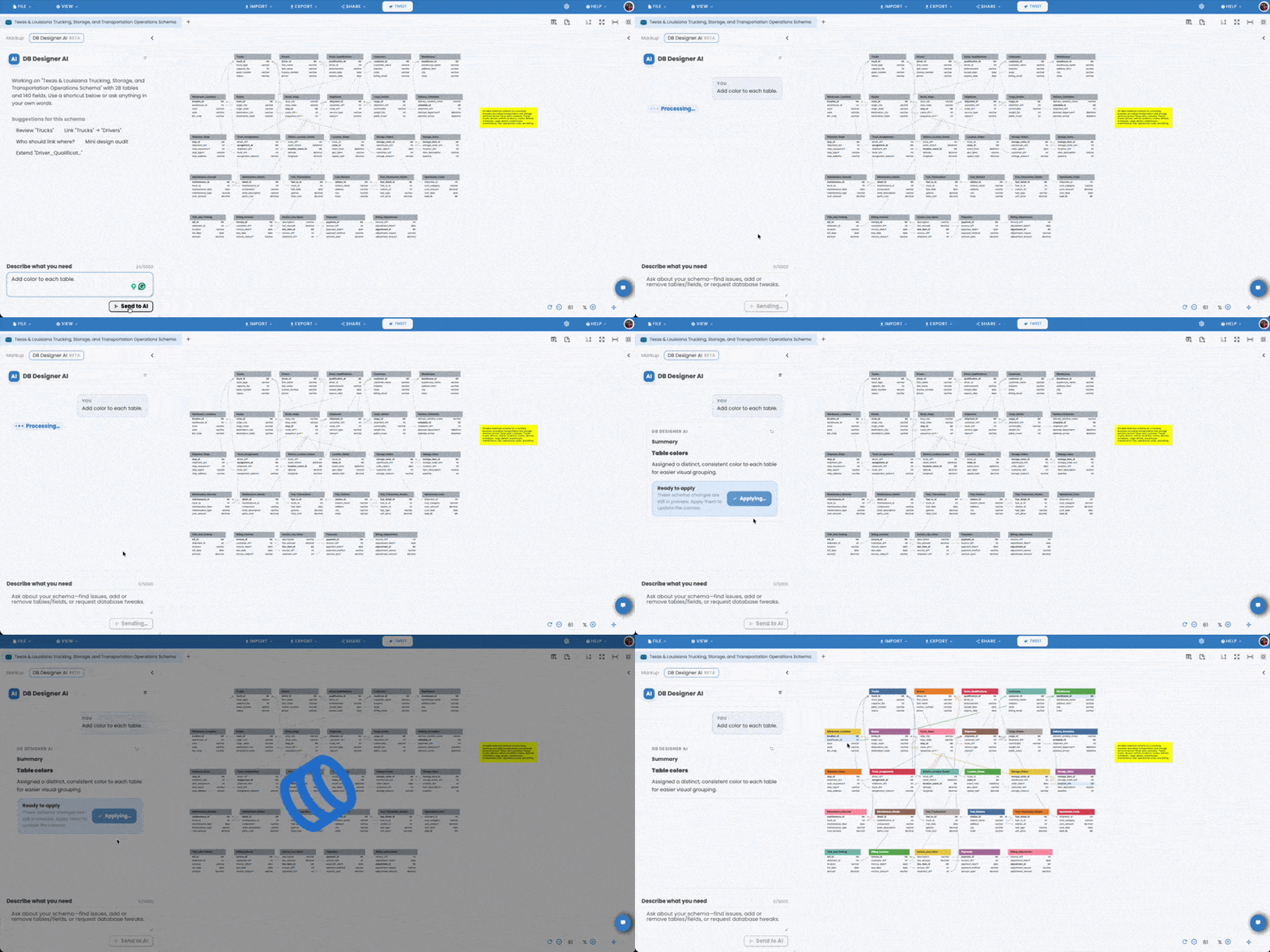
🚀 April 2026 Update: From Schema Thinking to AI-Assisted Execution
Over the past months, we’ve talked about how schemas encode decisions, assumptions, and constraints. But understanding these ideas is only half the challenge—the real difficulty is applying them consistently in real-world systems.
That’s exactly where our latest update comes in.
In April 2026, we introduced a new set of AI-powered capabilities inside DB Designer designed to help teams move from thinking about better schema design to actually executing it with clarity and confidence.
- 🧠 AI Schema Advisor: Your schema is no longer something you review alone. The AI analyzes your design in context—highlighting hidden assumptions, detecting anti-patterns, and suggesting improvements based on real-world modeling practices.
- 🎓 AI Learning & Education Assistant: Instead of switching tabs or searching documentation, you can now ask questions directly within your workflow—whether it’s normalization, relationships, or architectural trade-offs—and get contextual, relevant explanations.
- ⚡ Chat-Based Schema Editing (No-Code AI Actions): Schema evolution is no longer tied to manual edits. You can describe changes in natural language, and the system applies them—reducing friction between intention and implementation.
- 🛡️ Safe Apply Flow (Review First): Every change remains transparent and controlled. Before anything is applied, you see clear diffs, previews, and confirmation steps—ensuring that AI assistance never overrides human judgment.
These features don’t replace schema design thinking—they reinforce it.
They help surface the exact questions this article raises:
- What assumptions are hidden in this structure?
- Where are we oversimplifying reality?
- What will break when this evolves?
Instead of discovering these issues late—through bugs, edge cases, or painful migrations—you can now catch them at design time.
⚙️ Continued Improvements to Core Workflow
Alongside AI capabilities, we’ve also strengthened the foundation of how you work with schemas day to day:
- 📥 Improved Import Experience: More reliable handling of complex schemas with better accuracy and performance.
- 💬 Comment Support: Import and export workflows now preserve schema comments for better clarity and collaboration.
- 📝 Markup Editor Notes: You can now add structured notes directly within the editor—making design intent explicit, not implicit.
- 🖼️ SVG Export: Export diagrams as high-quality, scalable vector graphics for documentation and presentations.
- 📄 Enhanced PDF Export: Cleaner layouts and improved formatting for professional sharing.
- 🖼️ Improved Image Export: Higher resolution and better visual consistency across exported diagrams.
Closing Thought: Better Tools Don’t Replace Thinking—They Amplify It
Everything discussed in this article still holds true: your schema defines how your system understands the world. :contentReference[oaicite:0]{index=0}
What’s changed is this:
You no longer have to navigate those decisions alone.
With AI-assisted design, the goal isn’t automation for its own sake—it’s better awareness, faster iteration, and more deliberate decisions.
Because in the end, the quality of your schema still determines the quality of your product.
Now you just have a much smarter partner in shaping it.
Recent Comments