
Think Like a Database Designer (Not a SQL Typist)
Most students learn SQL syntax first — SELECT, INSERT, JOIN.
But real-world database design starts much earlier, with **questions, assumptions, and trade-offs**.
Using visual database design tools, students can focus on thinking structurally before writing a single query.
“Great databases are designed, not coded.” — Senior Data Architect, FinTech Industry
The Student Mistake Everyone Makes
- Designing tables directly from UI screens
- Storing lists inside columns (comma-separated values)
- Ignoring future growth (“we’ll fix it later”)
- Thinking joins are bad instead of essential
A Simple Question That Changes Everything
Before creating any table, ask:
- What is the real-world object?
- Can it exist independently?
- Does it change over time?
- Can there be more than one?
These questions naturally lead to entities, attributes, and relationships.
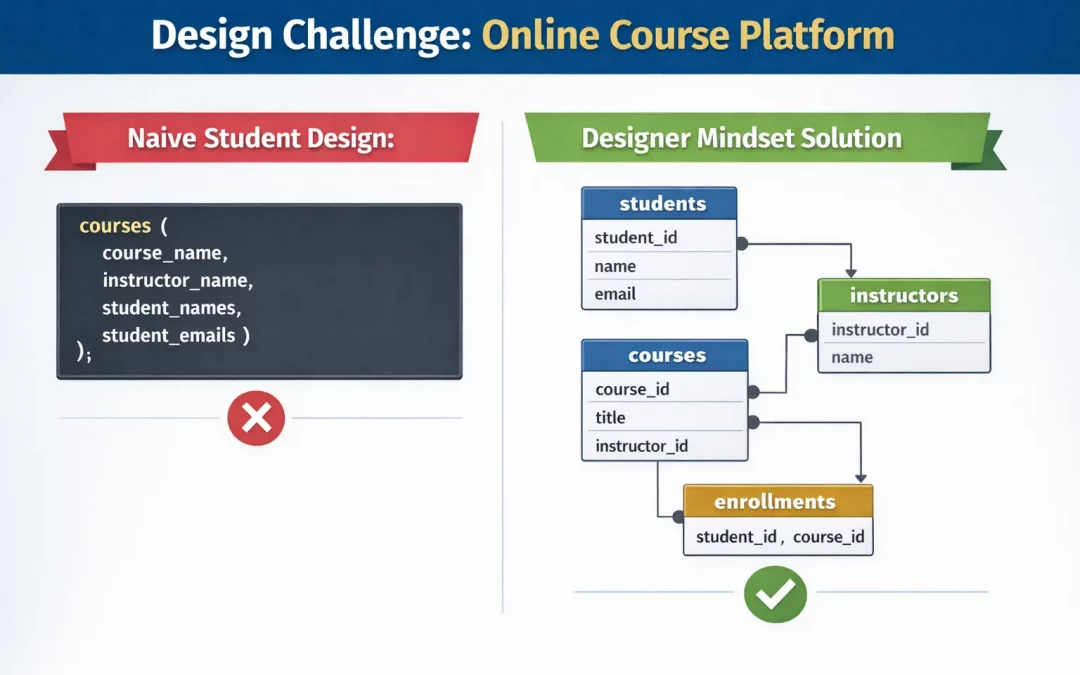
Design Challenge: Online Course Platform
Naive Student Design:
courses (
  course_name,
  instructor_name,
  student_names,
  student_emails
);
Designer Mindset Solution:
students (student_id, name, email)
instructors (instructor_id, name)
courses (course_id, title, instructor_id)
enrollments (student_id, course_id)
What Students Learn Here
- Why relationships matter more than columns
- How many-to-many tables actually work
- Why real systems scale cleanly
Database Design Is a Decision Game
- One-to-Many: Blogs and posts
- Many-to-Many: Students and courses
- Optional Relationships: Guest users
- Historical Data: Grades, prices, statuses
Every arrow you draw in DBDesigner represents a real business rule.
The “What If” Test (Student Power Move)
What if…
- a student enrolls twice?
- an instructor leaves?
What if…
- a course changes price?
- grades are updated?
Design Response
- Constraints
- History tables
- Clear ownership
Why Visual Design Beats Text for Learning
Students learn faster when they:
- See relationships instead of imagining them
- Spot design mistakes visually
- Experiment without breaking production data
Start Thinking Like a Designer:
Practice database design visually
Perfect for classrooms & self-study:
Create ER diagrams for learning projects
Recent Comments